On this page
Recent Visits has two kinds of story: editorial articles written by the Recent Visits team, and traveller stories written by people who made the trip. Traveller stories are reviewed before publishing but are not fact-checked: they are one person's experience. This article covers reading stories, writing your own, photos, earnings and how moderation works. Reviews of travel agencies are in Agencies, ratings and writing a review.
Where each page is#
| Page | Route | Who can open it |
|---|---|---|
| Stories (editorial and traveller) | /stories | Anyone |
| Traveller stories | /traveller-stories | Anyone |
| A traveller story | /traveller-stories/<story> | Anyone (once published) |
| A traveller's page | /travellers/<handle> | Anyone, once that traveller has a published story |
| Story guidelines | /story-guidelines | Anyone |
| My stories | /account/stories | Signed-in travellers |
| Write a story | /account/stories/new | Signed-in travellers |
| Edit or preview a story | /account/stories/<story>/edit, /account/stories/<story>/preview | The author only |
| Author profile | /account/profile | Signed-in travellers |
| My photos | /account/photos | Signed-in travellers |
| Earnings | /account/earnings | Signed-in travellers |
| Saved stories | /account/saved-stories | Signed-in travellers |
Read stories#
The stories hub#
Stories (/stories) mixes editorial and traveller stories, newest first, each labelled. A tab row, Story types, switches between All stories, Editorial and Traveller stories (which opens the traveller list). There are 9 stories per page with page links. Share your story at the top opens the editor. A tag link inside an editorial story shows only stories with that tag and a ← All editorial stories link. Empty states: "No stories yet" (with Share your story), "The first editorial stories are in the works" and "No stories filed under (tag) yet".
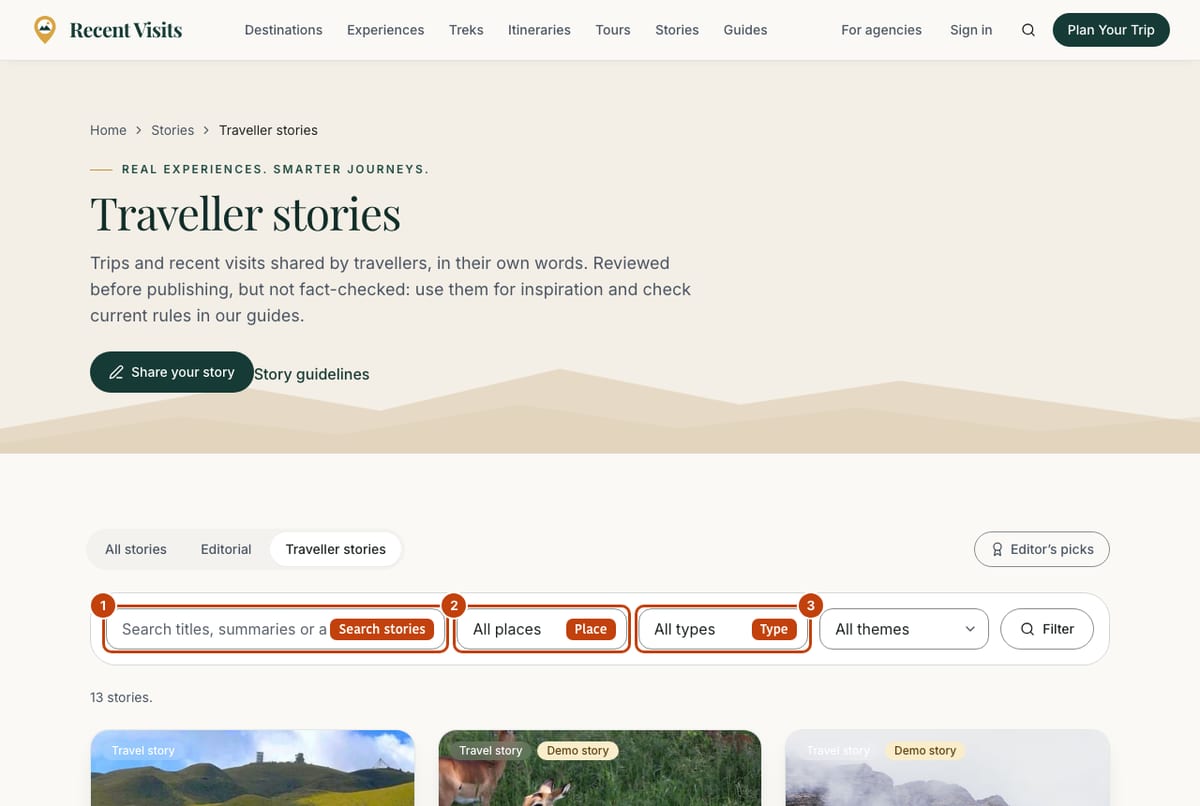
Traveller stories#
| Field or item | Type | Required? | Explanation | How to use it |
|---|---|---|---|---|
| Editor's picks | Link chip | No | Shows only stories our editors chose. Select again to turn off. | Select it. |
| Search box (placeholder "Search titles, summaries or authors") | Search box | No | Up to 80 characters. | Type and press Filter. |
| Place | Menu | No | All places or one destination. | Choose a place. |
| Type | Menu | No | All types, Travel story or Recent visit. | Choose a type. |
| Theme | Menu | No | All themes, Culture, Nature, Adventure, Wildlife, Spiritual, Luxury, Budget, Photography, Food. | Choose a theme. |
| Filter | Button | - | Applies the filters; the choices are kept in the web address. | Select it. |
| Result line and Clear filters | Text, link | - | "N stories match your filters." | Select Clear filters to start again. |
| Story cards | Cards | - | Photo, title, author and a Helpful count. Open one to read it. 12 per page. | Select a card. |
| Empty states | Message | - | "No stories match these filters" (with a Clear filters button) or "No traveller stories yet". | Clear filters or be the first to write one. |
Open an author's name to see their page (/travellers/<handle>) with their name, bio, badges and all their published stories.
A traveller story#
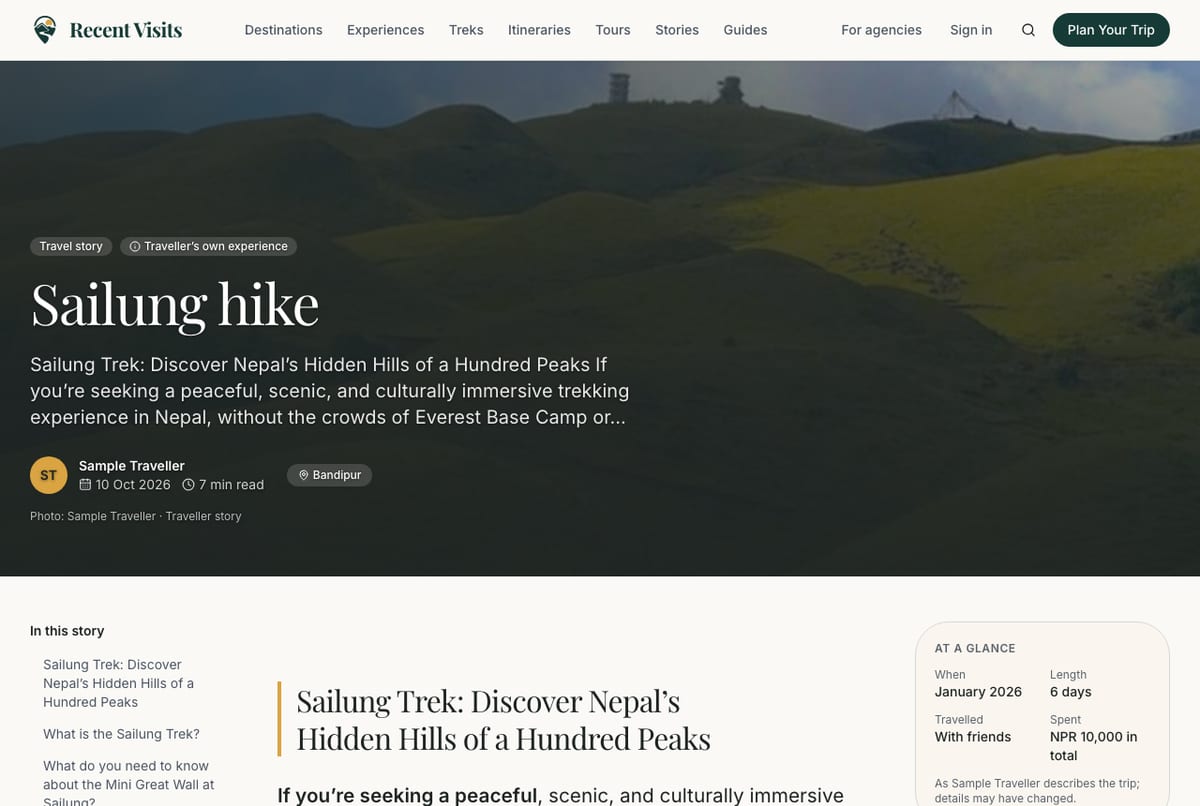
The page shows a cover photo with the type (Travel story or Recent visit), title, short summary, author, date, reading time and places. Below are an At a glance box with trip facts the author gave (each labelled as the author's own: When, Length, Travelled, Spent, Getting around, Stayed), the story, photos, a day-by-day route, the author's tips, What I would do differently, and a Disclosure from the author if they received anything free or discounted. If the author used the AI writing help, a line says so. Example stories on a beta site carry a Demo story notice.
| Field or item | Type | Required? | Explanation | How to use it |
|---|---|---|---|---|
| Helpful | Toggle button | No | Counts that you found the story useful ("Helpful · N"). Signed-in readers only; select again to undo. | Select it. If you are signed out you see "Sign in to save or vote". |
| Save / Saved | Toggle button | No | Keeps the story in Saved stories in your account. Signed-in readers only. | Select it. |
| Share | Button | No | Shares or copies the link. | Select it. |
| Report | Button | No | Opens the Report this story window below. Anyone can report. | Use it for rule breaches. |
| Plan a similar trip | Button | No | Opens the assistant with this story as context, the story's length, group and style, and a question that asks about your own dates, budget and group. It will not copy the author's trip or prices. | Select it. |
| Ask about this story | Button | No | Opens the assistant about the story. | Select it. |
| Phone action bar | Bar | No | On phones a bar at the bottom gives Helpful, Save, Share and Plan. It hides while an advertisement is on screen. | Use it with your thumb. |
| Error under the buttons | Message | - | "Sign in to save or vote for stories." | Sign in. |
Below a story, Tours that fit a trip like this (or Closest tours to a trip like this) lists up to three partner-agency tours chosen by fit to the story's places, length, group and style. The author did not choose them and does not recommend them; they follow the same rules as tours everywhere, and partner agencies pay a listing fee as explained in How Recent Visits makes money. Published stories also appear on the pages of the destinations and treks they are about, and on tour pages as Travellers who visited these places (these are not reviews of the tour or the agency). Each story card shows when the trip was made, for example Visited October 2026.
Story pages may show a labelled Advertisement (after you accept non-essential cookies); never while a story has an open reader report or staff have switched its ads off.
Report this story
| Field or item | Type | Required? | Explanation | How to use it |
|---|---|---|---|---|
| Reason | Radio list | Yes | Spam or advertising, Offensive or hateful, Shares someone's private information, Uses someone else's words or photos, Dangerous or misleading advice, Something else. Error: "Choose a reason." | Choose the closest. |
| Details (optional) | Text area | No | Up to 1,000 characters. Reports are confidential. | Say what is wrong. |
| Send report | Button | - | Success: "Thank you. Our team will look at this story." You can send 5 reports a day. | Select once. |
Saved stories#
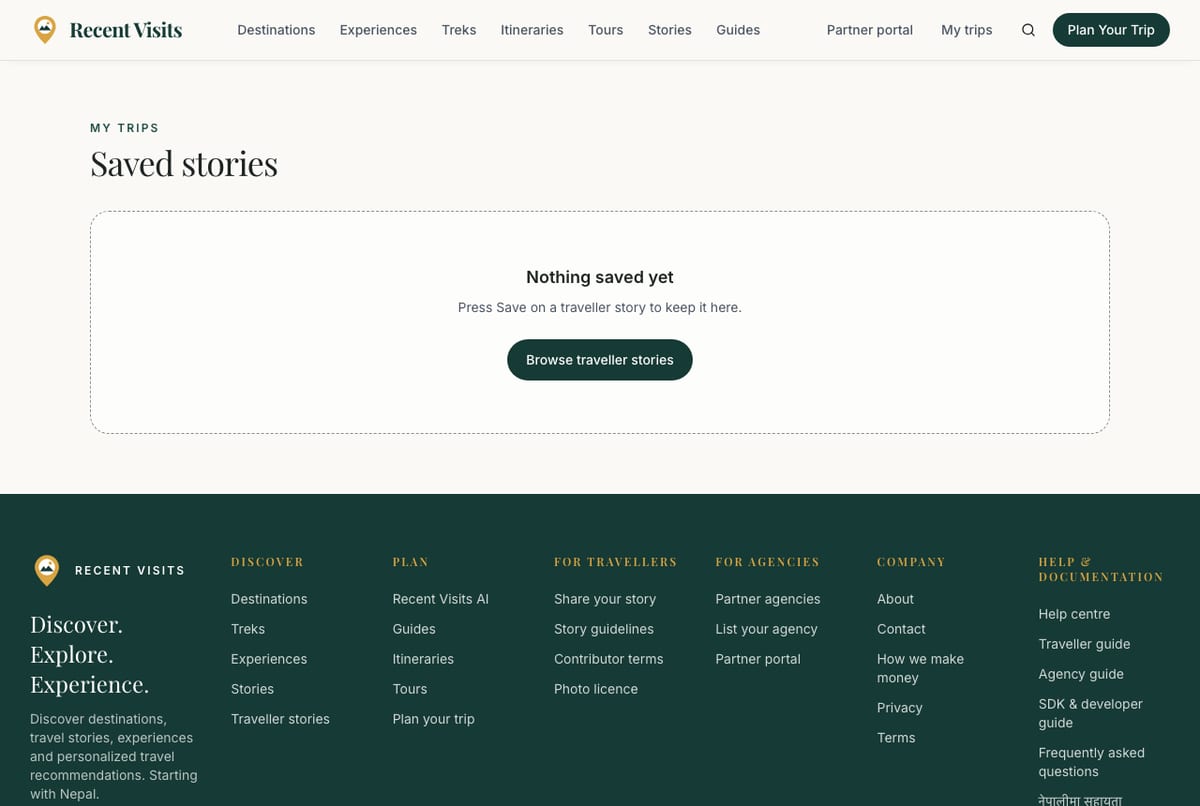
Saved stories (/account/saved-stories) shows the stories you saved as cards. When empty it says "Nothing saved yet" with the hint "Press Save on a traveller story to keep it here." and a Browse traveller stories button.
Write a story#
You need an account. Choose Share your story (in the footer, on the stories pages or on the homepage), or My stories, Write a story. An author name and handle are needed before you can submit; the page tells you if they are missing and links to your author profile, which brings you back afterwards.
Everything is saved as a private draft. Nothing is public until our team has read it. You can create up to 10 new stories a day.
Step 1: Basics#
| Field or item | Type | Required? | Explanation | How to use it |
|---|---|---|---|---|
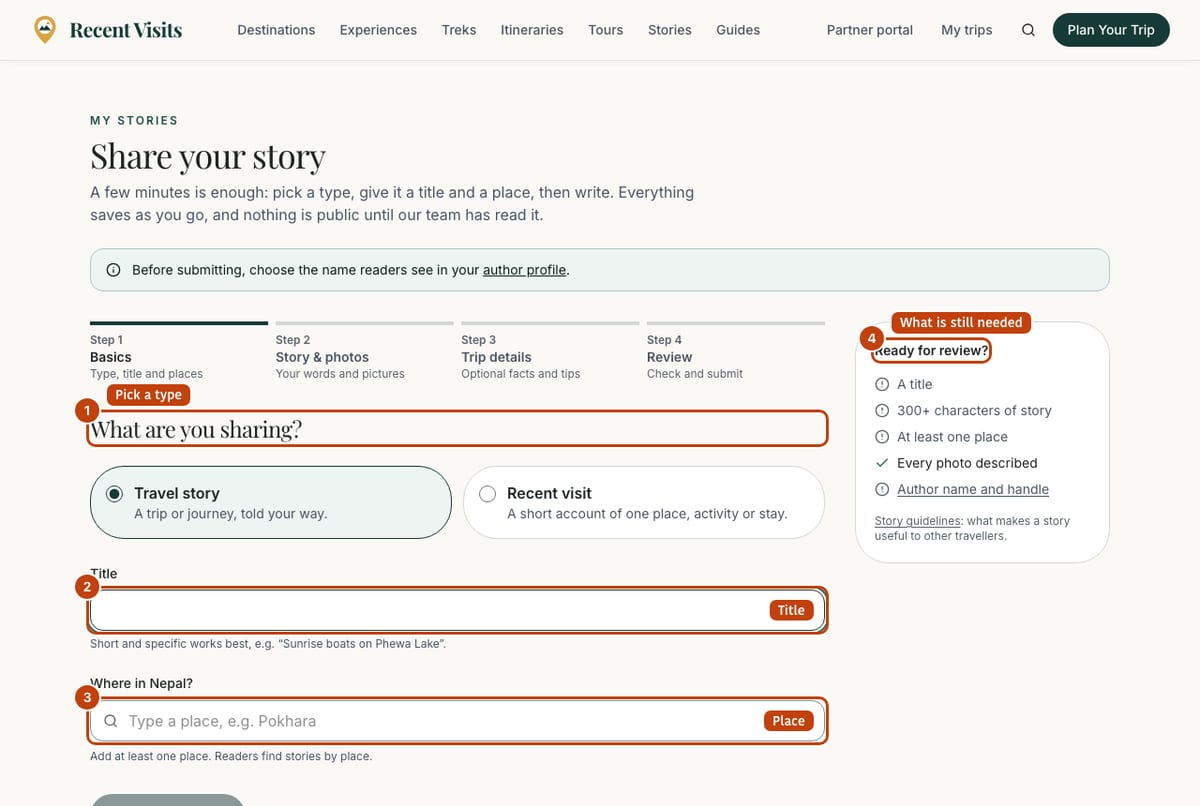
| Type of story | Two cards | Yes | Travel story ("A trip or journey, told your way.") or Recent visit ("A short account of one place, activity or stay."). A travel story needs more text than a recent visit. | Pick one. |
| Title | Text | Yes | 4 to 120 characters. Hint: "Short and specific works best, e.g. "Sunrise boats on Phewa Lake"." | Write a specific title. |
| Where in Nepal? | Place picker | Yes | At least one place, up to 12. Hint: "Add at least one place. Readers find stories by place." Places mentioned in your title or text are suggested. | Search and add places. |
| Start writing | Button | - | Only on the new-story page; disabled until the title has 4 characters. Creates a private draft ("Only you can see it.") and opens step 2. | Select it. |
Step 2: Story and photos#
| Field or item | Type | Required? | Explanation | How to use it |
|---|---|---|---|---|
| Writing prompts | Chips | No | Examples such as "What made you choose this place?", "What surprised you?". | Use for ideas. |
| The story | Rich text editor | Yes | Your own words. A counter shows the words typed and "N more characters before review" until you reach the minimum: 300 characters for a Travel story, 80 for a Recent visit. A story that is too long shows "Your story is too long (max N characters)." | Write about your own trip. |
| Short summary (optional) | Text area | No | Up to 300 characters. Hint: "One or two sentences for the story card. Leave empty to use your opening lines." | Add or leave empty. |
| Photos | Photo manager | No (but each photo needs a description) | See below. | Add your own photos. |
| Writing help (optional) | Expandable | No | See below. | Open it if you want suggestions. |
Photos
A story can have up to 21 photos: one cover and up to 20 more. Only your own photos, or ones you have permission to share. Photos are resized in your browser and location data is removed.
| Field or item | Type | Required? | Explanation | How to use it |
|---|---|---|---|---|
| Drop area, Choose photos | File area | No | "Drop photos here". JPG, PNG, WebP or AVIF, up to 8 MB each. Several at a time. Errors: "Use a JPG, PNG, WebP or AVIF photo.", "Photos must be 8 MB or smaller.", "A story can have up to 21 photos." | Drop or choose photos. |
| New photo row | Two text boxes | Description required | Describe the photo (required) (3 to 160 characters, for people who cannot see it) and Caption (optional) (up to 200). A round button removes it from the queue. | Describe each photo. |
| Upload N photos | Button | - | Uploads the queue. If one lacks a description: "Describe each photo before uploading (for people who cannot see it)." The first photo becomes the cover. | Select it. |
| Photo cards | Cards | - | Show Cover on the cover photo, a description box (saved when you leave it), a caption, a star to make it the cover, arrows or drag to reorder and a remove button. "Drag photos or use the arrows to reorder. Order and captions save with your story." | Edit as needed. |
Writing help
An optional panel that suggests titles, a summary, places and tips from your saved draft, and questions about details readers would find useful. It sends your saved draft to our AI provider, so you must tick I agree to send my saved draft to our AI provider for suggestions. first. Suggest creates the suggestions; nothing changes until you choose Use title, Use summary or Add places. Tips and questions are for you to copy or answer yourself. The AI never adds experiences you did not write. There is a daily limit of 10 requests.
Step 3: Trip details#
All optional, "and usually not needed for a recent visit". Share only what you are happy to make public.
| Field or item | Type | Required? | Explanation | How to use it |
|---|---|---|---|---|
| Treks (optional) | Place picker | No | Up to 6 treks. | Add the treks you did. |
| Month, Year | Menus | No | Month of the trip; year from the current year back to 1990. | Choose them. |
| Days | Number with Fewer days and More days buttons | No | 1 to 365. | Enter the length. |
| Who you travelled with | Choice | No | Rather not say, Solo, As a couple, With family, With friends, In a group. | Choose one. |
| What the trip was about | Choice pills | No | Culture, Nature, Adventure, Wildlife, Spiritual, Luxury, Budget, Photography, Food. | Choose any. |
| What you spent, Currency, Basis | Number, menu, menu | No | Amount 0 to 10,000,000; currency USD (default), EUR, GBP, AUD, INR or NPR; per person or in total. If you give an amount you must choose a currency ("Choose the currency of the budget"). | Say in the story what it covered. |
| Getting around | Text area | No | Up to 300 characters, for example "Tourist bus Kathmandu-Pokhara, 7 hours, NPR 1,200 (Oct 2026)". | Add real prices and dates. |
| Where you stayed | Text area | No | Up to 300 characters. | Add the places and costs. |
| Route builder | Stop list | No | Up to 30 stops, each with a place (up to 80 characters; "Name the place" if empty) and an optional note (up to 300). | Add your route day by day. |
| Practical tips | Tag list | No | One tip per line, up to 12 tips of 200 characters. "Add a tip and press Enter". | Add what you wish you had known. |
| What would you do differently? | Text area | No | Up to 1,500 characters. | Add a lesson. |
| Did you get anything free or discounted? | Text area | No | Up to 300 characters, for example "Two free nights at a lodge in Ghandruk". Readers see this. Leave empty if you paid for everything. | Be open about it. |
Step 4: Review and submit#
| Field or item | Type | Required? | Explanation | How to use it |
|---|---|---|---|---|
| Notes from the Recent Visits team | Message | - | Staff comments, shown when a story needs changes or is waiting. | Read and act on them. |
| Preview the story | Link button | No | Opens your private preview in a new tab ("Preview ... Only you can see this page."). View live appears once it is published. | Check how readers will see it. |
| Before you submit, add: | List | - | What is still missing: "a title", "at least 300 characters of story text" (80 for a recent visit), "at least one place in Nepal", "a description (alt text) for every photo", "your author name and handle". When complete: "Your story is ready for review." | Fix each item. |
| To help other travellers (optional) | List | No | Gentle reminders (for example add the month, the cost, a route). They never block submitting. | Add what you can. |
| Confirmation box | Check box | Yes | "This is my own experience, written by me following the story guidelines, and I took these photos or have permission to share them." | Tick it. |
| Submit for review | Button | - | Disabled while something is missing. Success: "Submitted. Our team reviews stories, usually within a few days; we will email you." If something is missing: "Before submitting, add (items)." | Select once. |
| Withdraw from review / Unpublish | Button | No | Withdraw (while in review): "Withdrawn from review." and the story goes back to a draft. Unpublish (while published): "Unpublished. It is no longer public." | Select it. |
| Delete story | Button | No | Asks you to type delete to remove the story and its photos for good (error: "Type "delete" to confirm."). Then returns to My stories with "Story deleted." | Use only when you are sure. |
Editor controls#
| Field or item | Type | Required? | Explanation | How to use it |
|---|---|---|---|---|
| Step bar | Four buttons | - | Basics, Story & photos, Trip details, Review. A new story shows only step 1 until you press Start writing. | Select a step. |
| Back, Next (Review on step 3), Save now | Buttons | - | Save now appears on step 4. | Move between steps. |
| Save indicator | Status | - | All changes saved, Unsaved changes, Saving..., Saved just now or Not saved. Changes save by themselves about 2.5 seconds after you stop typing. | Wait for Saved before you leave; the browser warns if you try to leave with unsaved changes. |
| Ready for review? checklist | Panel | - | On wide screens a side panel; on phones a collapsed box at the top ("Ready for review? N of 5 done") with the five checks: a title, the minimum characters, at least one place, every photo described, author name and handle. Also shows the story's status and a Preview button. | Work down the list. |
What happens after you submit#
Staff read every story before it is published, usually within a few days, and email you either way.
| Status | Meaning |
|---|---|
| Draft | Only you can see it. |
| In review | Waiting for staff. You can withdraw it. |
| Published | Live on the site. Editing a published story sends it back to review. |
| Needs changes | Staff left a note; fix it and submit again. |
| Unpublished by author | You took it down; you can edit and submit it again. |
Rules (see the story guidelines)#
- Write only about your own trip, in your own words. Copied, invented or fully AI-written stories are not allowed.
- Give facts other travellers can use, and be fair to businesses. Say if you got anything free or discounted. No promotion, phone numbers or booking links.
- Be safe and respectful. Only use photos you took or have permission to share.
My stories#
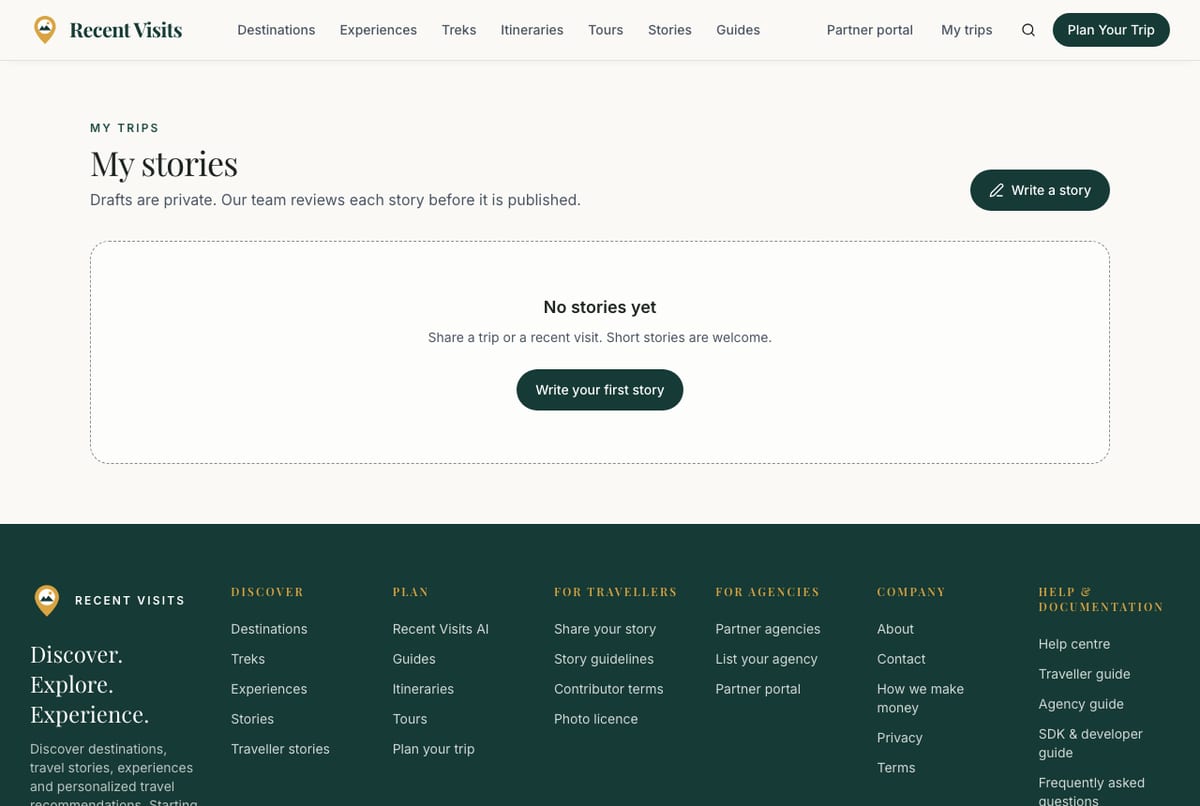
My stories (/account/stories) lists your stories, most recently updated first (up to 100), with the type, the last update date and a status badge. Select a title to open the editor. Write a story starts a new one. "Story deleted." confirms a deletion. Empty: "No stories yet. Share a trip or a recent visit. Short stories are welcome." with Write your first story.
Author profile and badges#
Your name and handle (and optional bio) are set on your author profile, described in Accounts, sign-in and profile. Your public page appears with your first published story. Badges on a story and on your page are earned from published stories, readers' Helpful votes and Editor's picks, for example First story, Storyteller (3 stories), Prolific storyteller (10), Helpful (25 votes), Very helpful (100), Editor's pick author, Featured photographer and up to two Local expert badges (3 stories about one place). They are never earned by mentioning an agency.
Payments and credits#
Authors living in Nepal can receive fees for Editor's picks, for photos Recent Visits buys, and a share of advertising income on their story pages; other authors earn badges and credit. The terms are in the contributor terms and photo licence. Payment is arranged by staff after approval.
My photos#
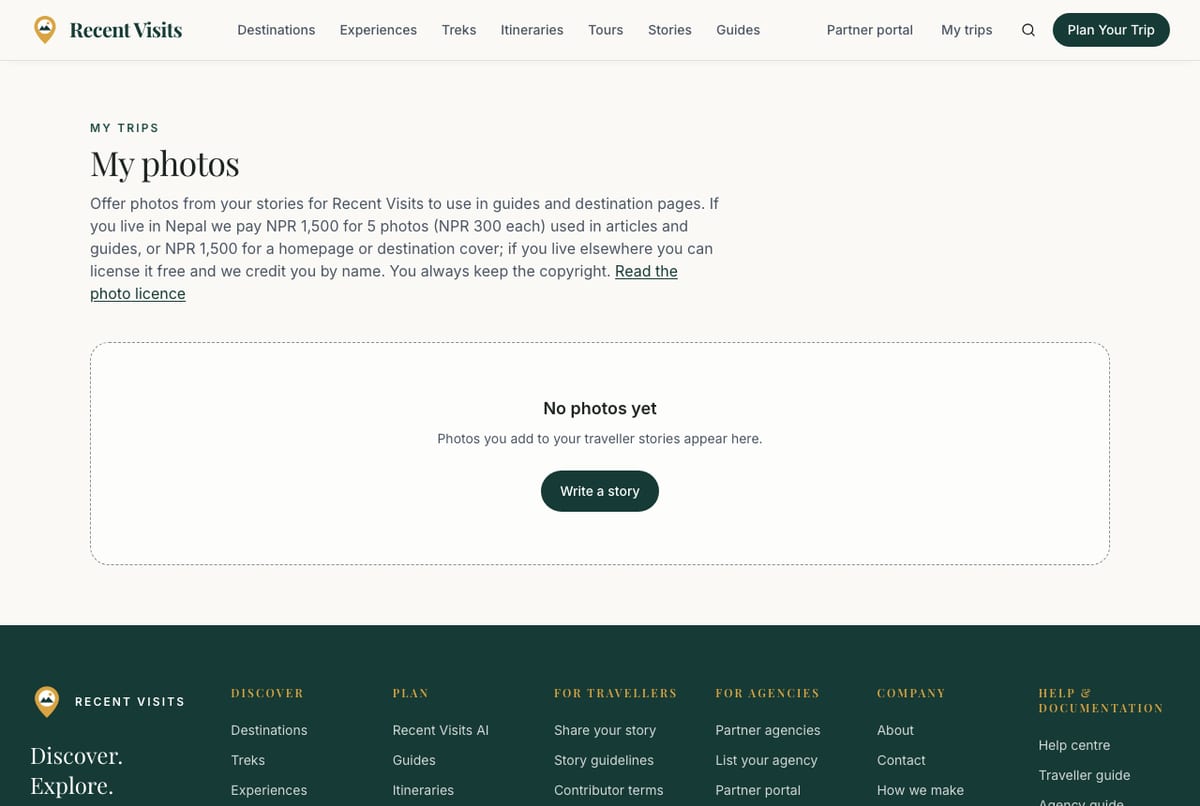
My photos (/account/photos) shows every photo you uploaded to your stories, each with the story it came from. The heading explains the offer: if you live in Nepal Recent Visits pays NPR 1,500 for 5 photos (NPR 300 each) used in articles and guides, or NPR 1,500 for a homepage or destination cover; if you live elsewhere you can license a photo free and are credited by name. You always keep the copyright.
| Field or item | Type | Required? | Explanation | How to use it |
|---|---|---|---|---|
| Offer to Recent Visits | Button | No | Opens the offer form for one photo. | Select it on a photo. |
| Where do you live? | Choice | Yes | I live in Nepal (paid) or I live outside Nepal (free, with credit). Error: "Tell us where you live." | Choose one. |
| People in the photo | Choice | Yes | No recognisable people, Recognisable people who agreed to this use or Recognisable people without their agreement. Error: "Tell us about people in the photo." | Choose honestly; the last option limits use to articles. |
| I took this photo myself. | Check box | Yes | Error: "Confirm you took this photo." | Tick it. |
| I agree to the photo licence. I keep the copyright. | Check box | Yes | Opens the licence in a new tab. Error: "Please accept the photo licence." | Tick it. |
| Offer photo, Cancel | Buttons | - | Success: "Offered. Our editors review offers and email you either way." | Select Offer photo. |
| Status badge | Badge | - | Offered: waiting for our editors, Accepted (with the fee and "payment sent" or "on its way once we have your details (see our email)", or "Free licence: you are credited wherever we use it."), Not used this time, Withdrawn. | Read. |
| Withdraw offer | Button | No | Shown while an offer is waiting. | Select it to take the offer back. |
Empty state: "No photos yet. Photos you add to your traveller stories appear here."
Earnings#
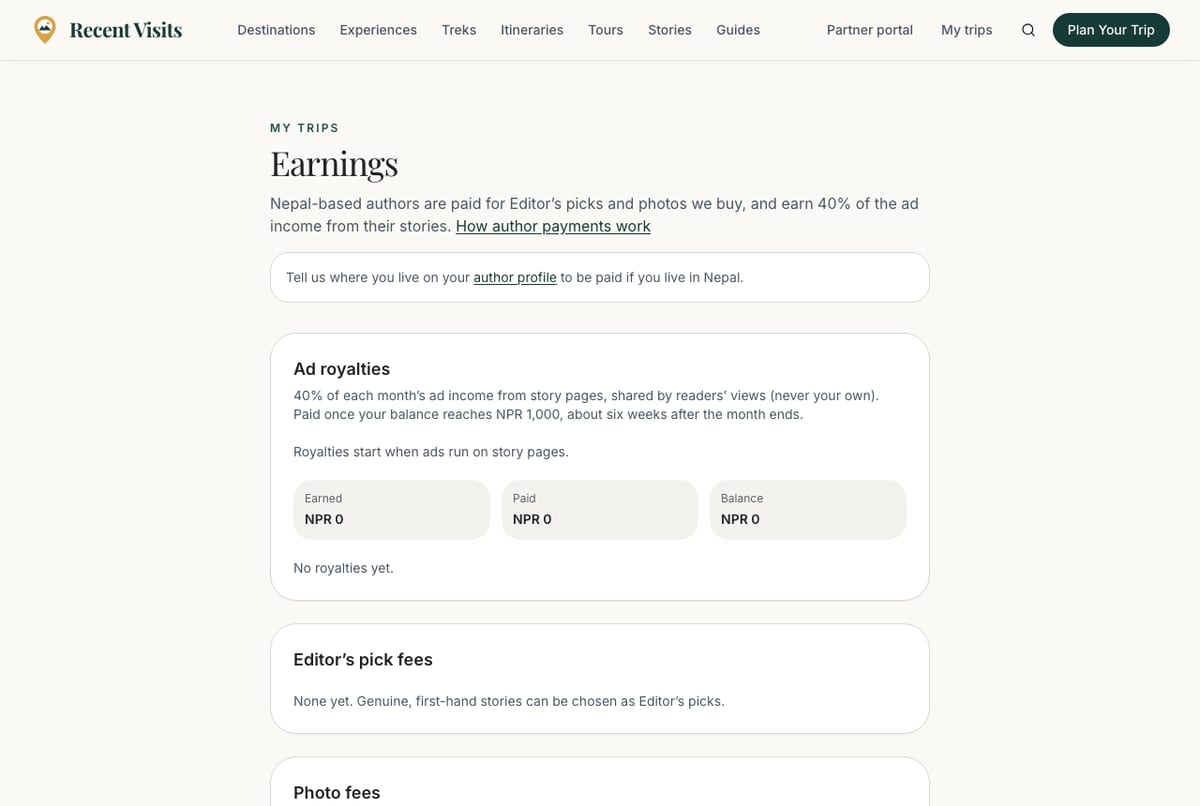
Earnings (/account/earnings) shows what you have earned. It tells you if your profile says you live outside Nepal ("so your stories earn badges and features rather than payments") or has no location yet (with a link to your author profile).
| Field or item | Type | Required? | Explanation | How to use it |
|---|---|---|---|---|
| Ad royalties | Section | - | 40% of each month's ad income from story pages, shared by readers' views (never your own). Paid once your balance reaches NPR 1,000, about six weeks after the month ends. Shows Earned, Paid and Balance, each month with an Estimate tag until final, and the views and amount per story. Before ads run: "Royalties start when ads run on story pages." Empty: "No royalties yet." | Read. |
| Editor's pick fees | Section | - | Stories chosen as Editor's picks with the fee and Paid or Waiting for your details. Empty: "None yet. Genuine, first-hand stories can be chosen as Editor's picks." | Read. |
| Photo fees | Section | - | Accepted photos (Cover photo or Photo in articles) with the fee and payment state. Empty: "None yet." with Offer your photos. | Read. |
| Royalty payouts | Section | - | Shown once a payout exists: date, amount and reference. | Keep for your records. |
The app does not collect payment details; staff will ask by email when a payment is due. You are responsible for any tax due on what you receive.
Review an agency#
You can also write an honest review of a travel agency you dealt with, with its own rating, photos and optional verification. The full guide, including every field, moderation and what each status means, is Agencies, ratings and writing a review.
In short: open the agency page and choose Write a review (you must be signed in); give a 1 to 5 star rating and write at least 40 characters; staff read it before it appears and never remove a review for being critical.
How to publish a story, step by step#
- Open My trips, My stories, Write a story.
- Choose the type, write a title and add at least one place, then Start writing.
- Write the story and add photos with descriptions.
- Optionally add trip details in step 3.
- In step 4 check the list, preview, tick the confirmation and Submit for review.
- Wait for the email. If it needs changes, edit and submit again.
Troubleshooting#
| Problem | What to try |
|---|---|
| I cannot submit my story | Check the list in step 4: title, text length, a place, alt text on every photo, author name and handle. |
| "Photos must be 8 MB or smaller" | Use a smaller image. |
| "Describe each photo before uploading" | Fill in Describe the photo (required) for every new photo. |
| My story needs changes | Read the staff note on step 4, edit and submit again. |
| My published story disappeared after I edited it | Editing sends it back to review; it returns when staff approve it. |
| "Sign in to save or vote for stories." | Helpful and Save need an account. |
| I cannot see my traveller page | It appears after your first story is published. |
Contact us if you need help.
Last checked against the product:
Related articles
- Accounts, sign-in and profile · Create an account, sign in with a password or an email link, reset a password, use your account page, manage your author profile and understand what you can do without an account.
- Agencies, ratings and writing a review · How to find a partner agency, read its page and traveller reviews, report a review, and write, edit, verify or withdraw your own honest review. Explains ratings, moderation and what each status means.
- Quotes and agency enquiries · How to ask a travel agency for a quote on Recent Visits, what each form field means, what happens next, and how to read, compare, accept or decline quotes. A quote request is not a booking.
- Delete your account and privacy basics · How to delete your Recent Visits account, what the 14-day wait means, what is deleted and what stays, how long other data is kept, and what happens when an agency closes its listing.
- Frequently asked questions · Short answers about booking, quotes, the AI assistant, accounts, agencies, reviews and the website widget.
Still stuck? Contact us and tell us what you tried.